INS - Instalment on Sales and Purchase
This functionality has been developed as a result of the need for document archiving with different dates of arrival.
How to set up Instalment
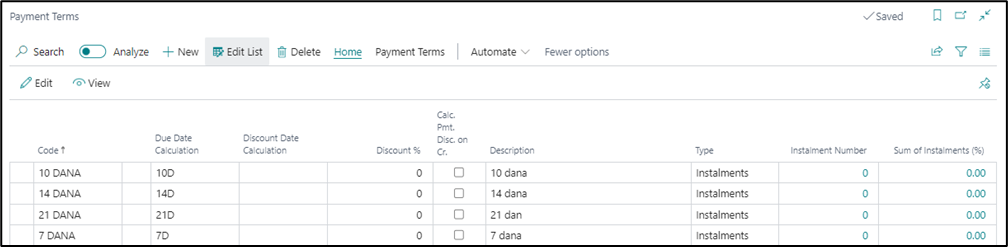
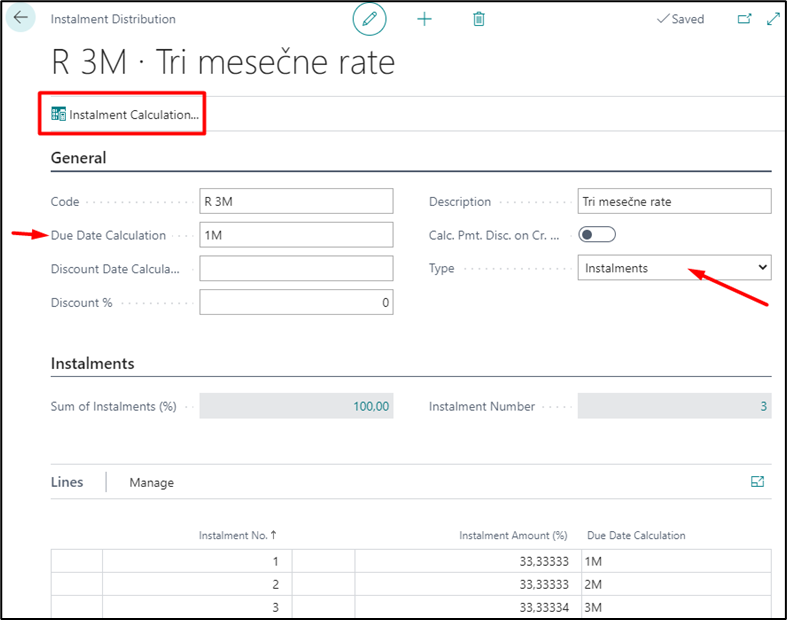
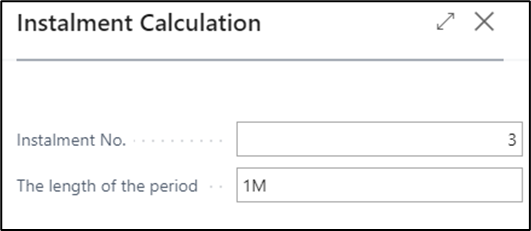
Setting changes are performed in the Payment Terms table. In search type Payment Terms. A new term of payment needs to be created, enter the code in the tab and select in the field Type - Installments. After which a new Action called Installment calculator is initiated, in which you populate the number of installments and period length. In the field length of the period enter duration of periods. For example: one month - 1M, one year - 1Y, needs to be entered.
How to use Instalments
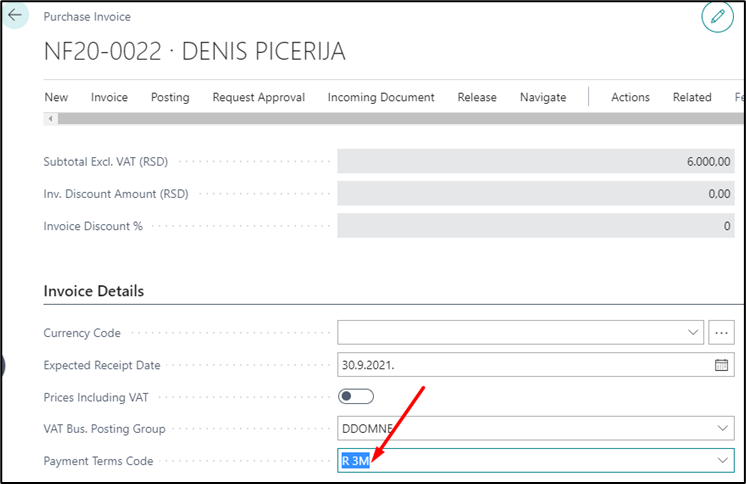
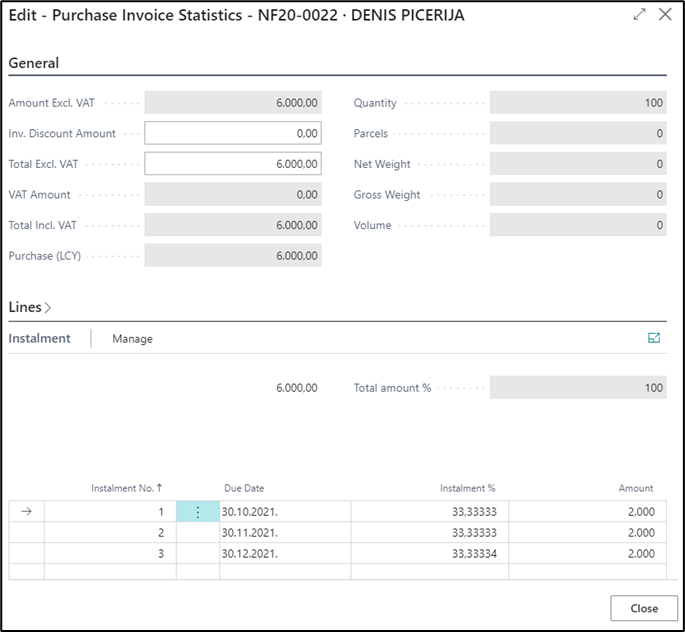
This functionality is used in the same manner for both sale and purchase. After entering all the necessary data, in the header and lines of the document in the Invoicing tab, you need to select the code for the payment terms code that we have created earlier. If is necessary you can change the number of installments, level of installments or the due date in the document by clicking on the statistic; in the Installments tab it is possible to make any required changes before posting document. After posting, the same number of customer-vendor entries is being created as per the number of installments, with different due dates.
Potrebna vam je pomoć?