IFRS16 Contract
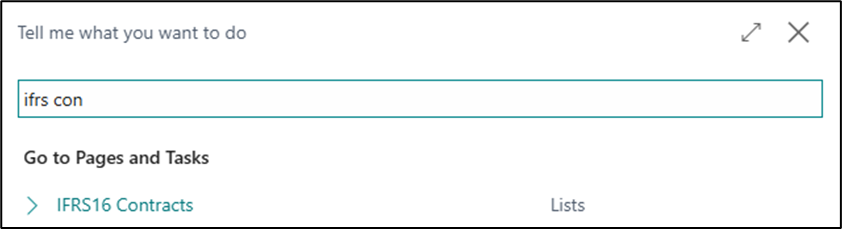
In the search box, enter IFRS16 Contracts to open the contract list.
On the contract list, select New to create a new contract.
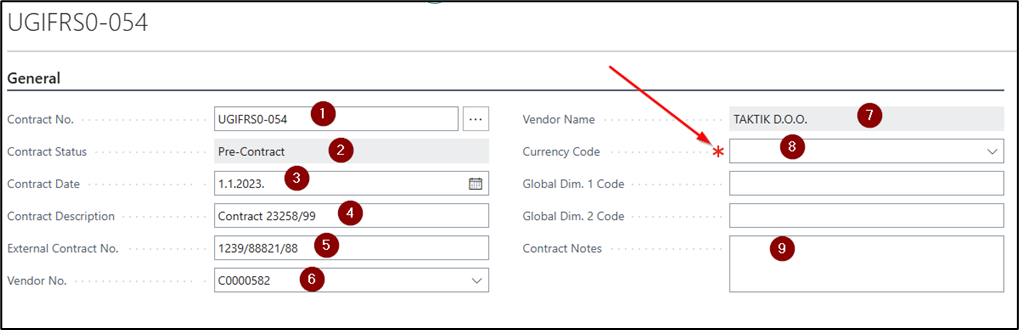
Contract Header
The contract header contains the basic information. On the General tab of the contract, complete the following fields:
- Contract No. – Assigned automatically from the number series.
- Contract Status – The available statuses are Pre-Contract, Active, and Closed.
- Contract Date – Specifies the date of the contract signed with the lease vendor.
- Contract Description – Specifies a brief description of the contract.
- External Contract No. – Specifies the contract number assigned by the lease vendor.
- Vendor No. – Specifies the number of the vendor with whom the contract was concluded.
- Vendor Name – Not editable; populated automatically based on the selected vendor number.
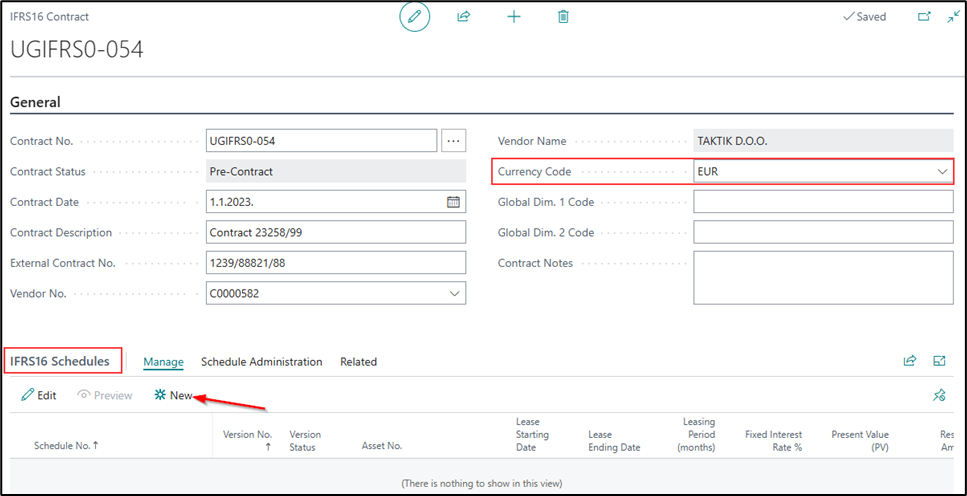
- Currency Code – Automatically copied from the vendor card, but it can also be entered manually on the contract. If Currency Required is selected on the IFRS16 Setup page, the system will not allow contract lines (repayment schedules) to be created until a currency code is entered in the contract header.
- Short-Term Liability Period – Copied from the IFRS16 Setup page and can be changed in the contract header before the repayment schedule is created. The specified period determines which liabilities on the repayment schedule lines are classified as short-term.
- Present Value of the Contract – Displays the total present value of all active repayment schedules on the contract lines. The present value decreases as installments are paid and is automatically updated in the contract header.
- Contract Notes – A free-text field for entering additional information, if required.
If the contract is denominated in euros and no exchange rate has been entered for the posting date of the payment schedule or of individual payment schedule lines, the system displays a message prompting you to enter the exchange rate for the specified currency and date.
The contract cannot be deleted once it becomes active. Deletion is allowed only when the contract has the status Pre-Contract.
Contract Lines
Contract lines represent payment schedules. A single contract may contain multiple payment schedules. If the lease agreement covers multiple fixed assets, a separate payment schedule can be created for each. Each payment schedule can also be modified independently — for example, terminated, extended, or its amount changed — without affecting the other payment schedules within the same contract.
Contract lines contain the relevant data automatically transferred from the created payment schedule:
- Payment Schedule No. – The unique number of the payment schedule within the contract. It is created by adding
01to the contract number for the first payment schedule. Each subsequent schedule is assigned the next consecutive number (02, 03, 04, etc.). - Version No. – The sequential number of the payment schedule version. A schedule may have multiple versions, depending on changes to the contract terms (for example, an annex created due to a price change would be version 2).
- Version Status – The status of the payment schedule version: New, Active, Previous, Reversed, Completed, or Terminated.
- Fixed Asset No. – The number of the fixed asset created from the payment schedule.
- Payment Period Start – Entered in the payment schedule and transferred to the contract lines.
- Payment Period End – Entered in the payment schedule and transferred to the contract lines.
- Fixed Interest Rate % – Entered in the payment schedule and transferred to the contract lines.
- Instalment Amount Incl. VAT – Entered in the payment schedule and transferred to the contract lines.
- Present Value (PV) – The current value of the contract, which may contain multiple payment schedules. It is updated according to payments made and changes to the schedules.
- Lease Period (Months) – The total duration of the lease in months.
- Posted Lease Period – The number of installments posted in the payment schedule, so you can see how many have been posted at any time.
- Principal Amount Paid – The total principal amount for all paid installments.
Creating a payment schedule from the contract
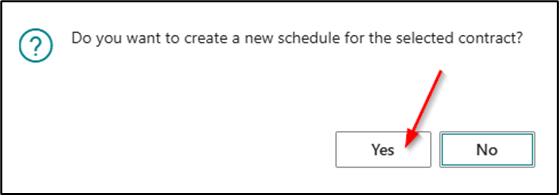
By selecting New in the contract lines, the following message appears: Do you want to create a new schedule for the selected contract? Select Yes to create and open a new payment schedule for the selected contract.
The payment schedule itself — its header, lines, and confirmation — is described in Payment Schedule.
Need more help?