IFRS16 Setup
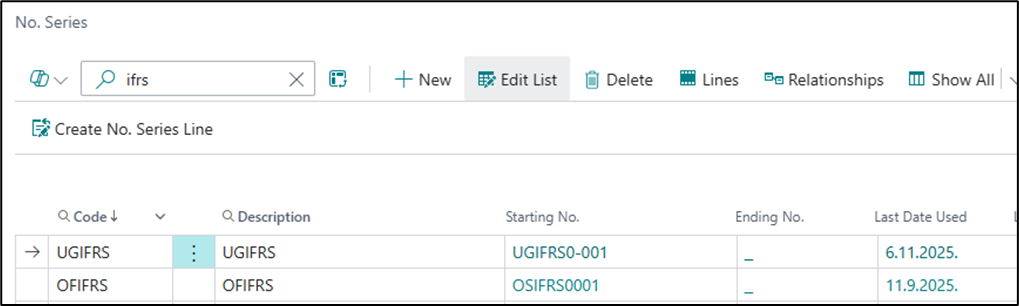
The first step in the setup process is to create number series on the Number Series page. It is necessary to define separate number series for IFRS 16 contracts and for IFRS 16 fixed assets (i.e., fixed assets that will be linked to IFRS 16 contracts).
The number series for contracts may contain a maximum of 10 characters, because the following are appended to the contract number during subsequent postings: the repayment schedule number, the repayment schedule version number, the repayment schedule reversal code (R), the repayment schedule price change code (DE), and the early termination code (T).
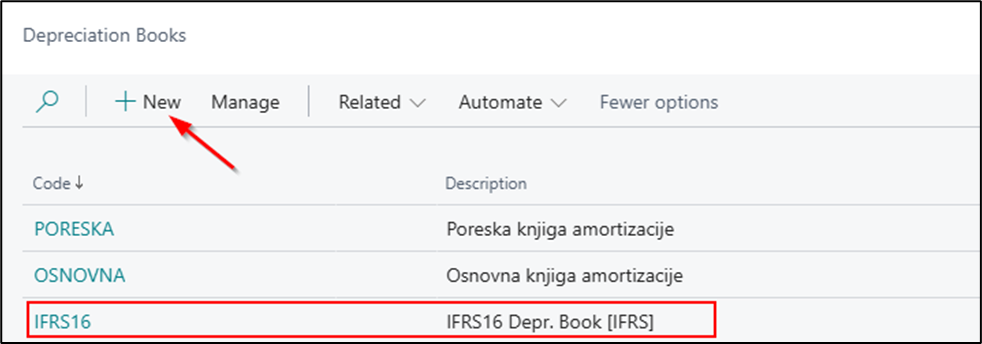
After that, it is necessary to create a depreciation book for the fixed assets covered by the IFRS 16 standard.
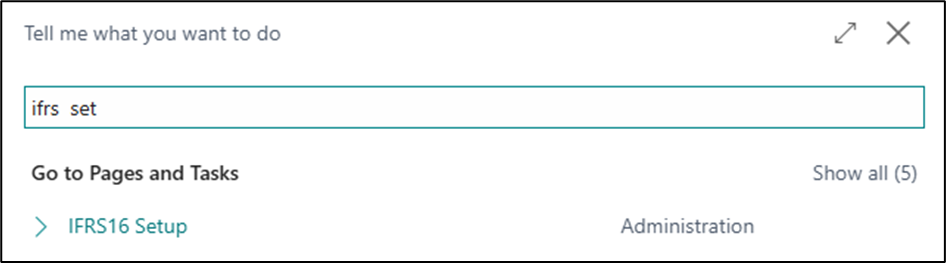
After creating the number series, continue with the setup by searching for IFRS16 Setup.
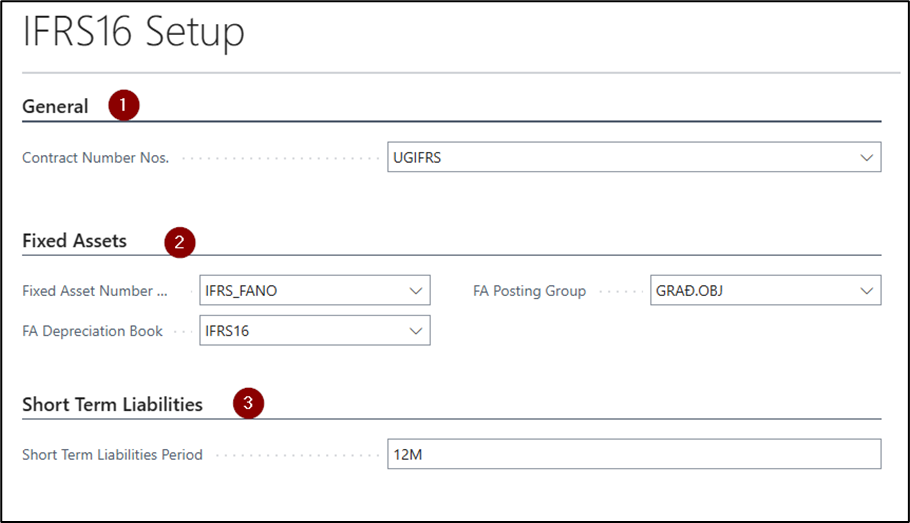
The setup page will open.
- On the General Fast Tab, define the number series for contracts and the currency requirement. If necessary, select the Currency Required option. This option is intended for countries where contracts are recorded in a currency other than the local currency. It allows the IFRS 16 module to support contracts both with and without a mandatory currency code. If the field is selected, the system will not allow contract lines (payment schedules) to be created until a currency code is entered in the contract header.
-
On the Fixed Asset Fast Tab, enter the number series for the fixed asset, the depreciation book, and the posting groups for fixed assets. All entered data will be automatically transferred to the card of the fixed asset created for IFRS 16.
-
On the Short-Term Liabilities Fast Tab, enter
12Min the Short-Term Liability Period field. This field defines the period considered a short-term liability. Based on the entered value, the system automatically separates short-term and long-term liabilities in the payment schedule.
FA Posting Groups
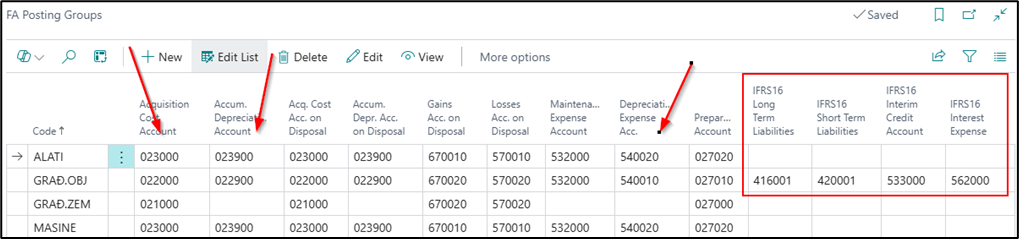
On the Fixed Asset Posting Group page, it is necessary to define the following fields:
- Acquisition Cost Account
- Accum. Depreciation Account
- Depreciation Expense Acc.
- Gains Acc. on Disposal
- Losses Acc. on Disposal
- IFRS16 Long Term Liabilities Account
- IFRS16 Short Term Liabilities Account
- IFRS16 Lease Expense Account
- IFRS16 Interest Expense Account
Versions and Status of the Schedule
A single contract may contain multiple repayment schedules. The repayment schedule number consists of the contract number and the schedule sequence number, which is assigned automatically: 01, 02, 03, etc. Each repayment schedule may have multiple versions. A new version is created when the terms of an existing schedule change — for example, when the vendor provides a contract amendment due to a change in the lease price, interest rate, or other contractual terms. The version number increases automatically with each change: 1, 2, 3, 4, etc.
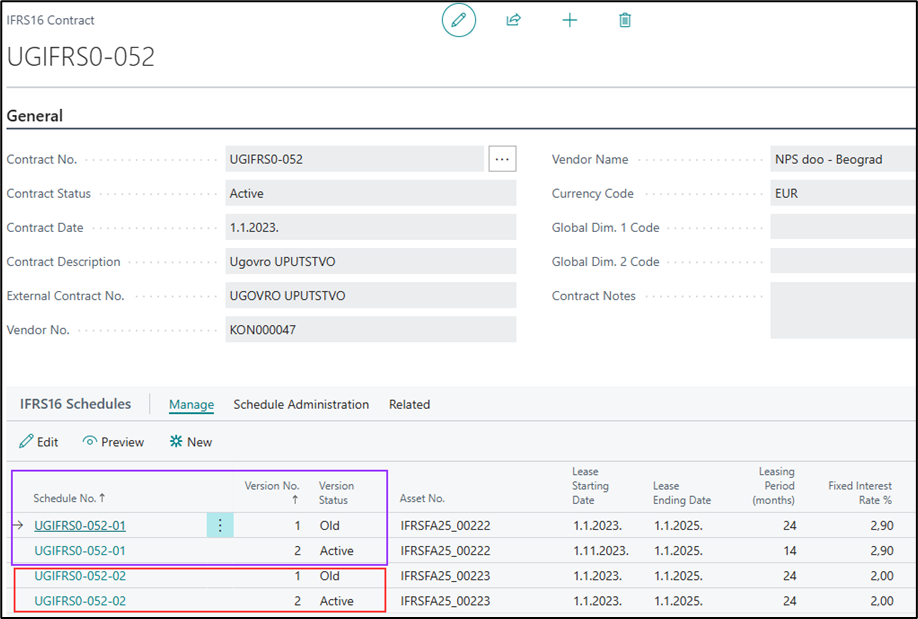
Each payment schedule version has its own status, indicating whether the version is currently valid or has been replaced by a newer version due to changes in the contract terms.
The contract status depends on the statuses of the related repayment schedules, as each change to a schedule status automatically affects the contract status:
- When the repayment schedule has the status New, the contract has the status Pre-Contract.
- When the repayment schedule is confirmed, both the schedule and contract statuses automatically change to Active.
- When all repayment schedules related to the contract have been closed and/or terminated, the contract status automatically changes to Closed.
Schedule Version Status
The status of a schedule version can be:
- New – The initial status assigned until the payment schedule is confirmed.
- Active – Assigned after the payment schedule is confirmed. At this point, the contract also automatically changes to Active.
- Old – Assigned to the existing schedule version when a change is created, such as a price change or contract extension. The original payment schedule changes to Old, while the newly created version receives the status New.
- Closed – Automatically assigned to the payment schedule after the last installment is posted. The system then automatically closes the contract as well, provided there are no other active payment schedules.
- Reversed – Assigned after the Reverse action is run on the payment schedule. This action reverses all entries created when the schedule was activated — for example, if incorrect information such as the price, interest rate, or other calculation-related data was identified after activation. Once the entries have been successfully reversed, a new payment schedule can be created with the correct information.
- Terminated – Assigned after the Early Termination of Payment Schedule action is run. This status indicates that the lease has been terminated for the relevant payment schedule, or for the entire contract if it contains only one payment schedule. If no active payment schedule remains after the termination, the contract automatically receives the status Closed.
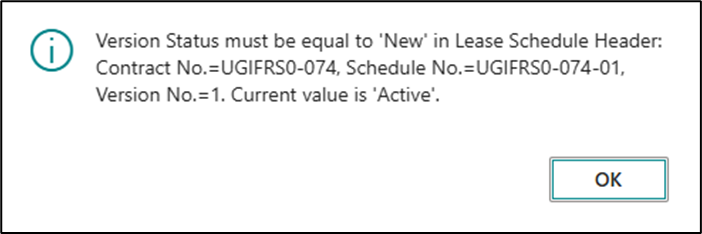
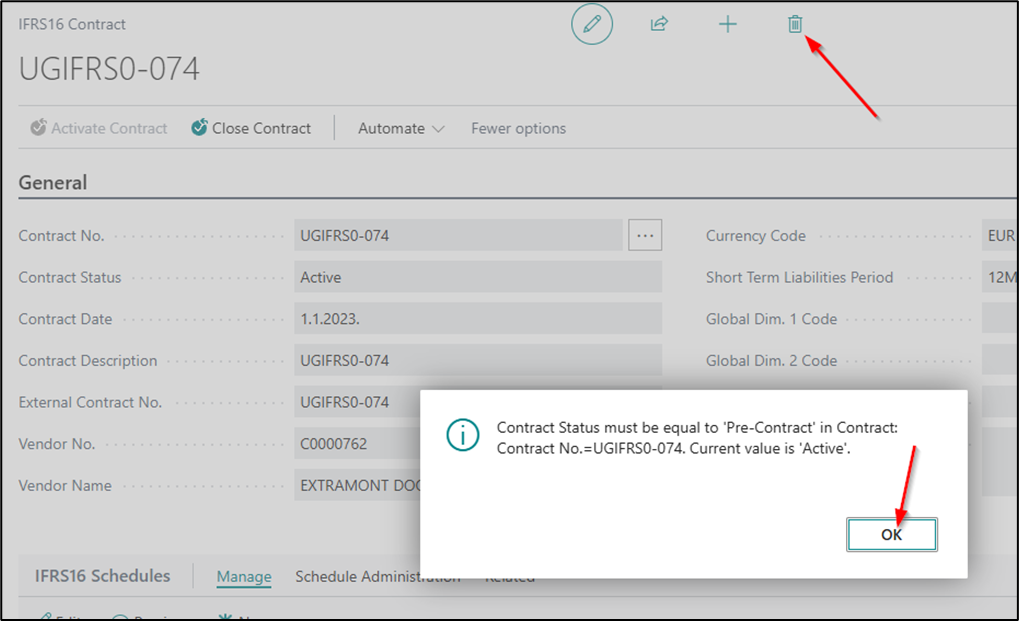
Deleting an active schedule is not allowed — you can only delete a schedule that is in the New status. Likewise, a contract cannot be deleted once it becomes active; deletion is allowed only when the contract has the status Pre-Contract.
Need more help?