Accruals Posted - Schedule
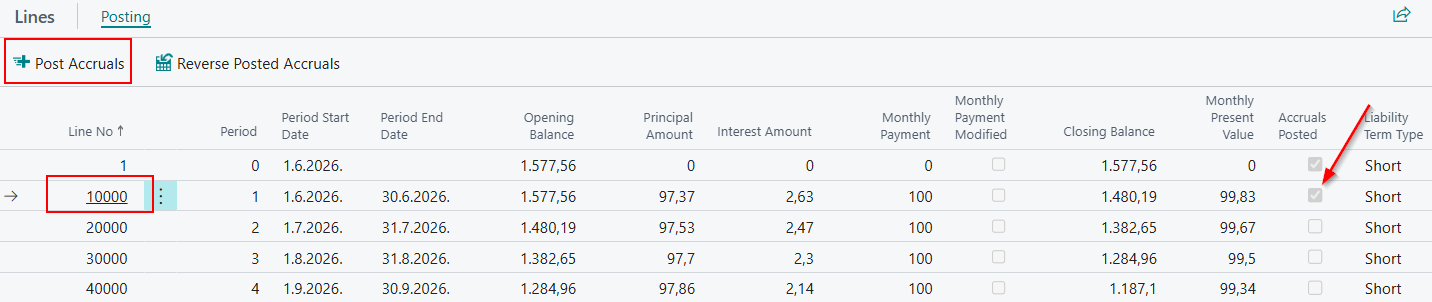
To post a monthly installment of the schedule, use the Post Accruals action on the schedule lines. Select the line you want to post and then run the action.
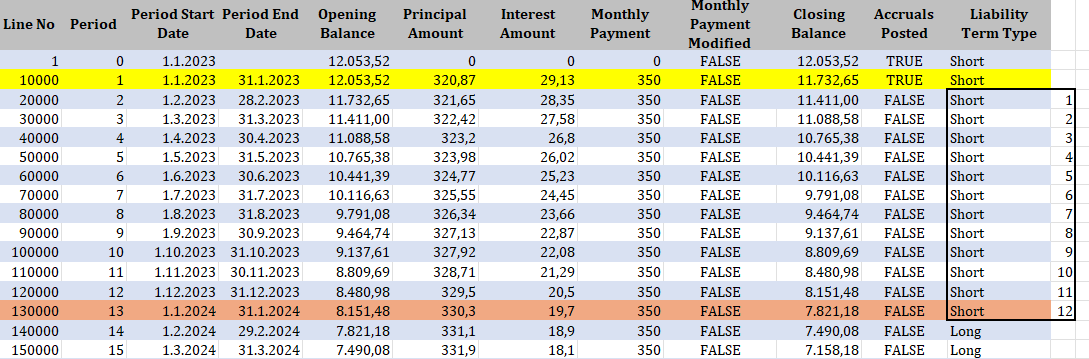
After posting the selected line on the schedule, the Accruals Posted field for that installment will be automatically marked. Additionally, the system will automatically transfer the first long-term installment to short-term liability, so that at any time the schedule shows 12 short-term installments in accordance with accounting rules.
If you have posted the first installment on the schedule, the system will automatically reclassify the 13th installment (which was previously long-term) as short-term.
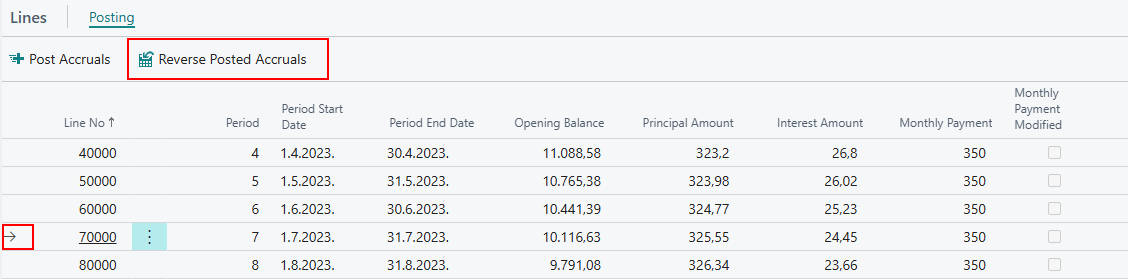
Posting Order
The system does not allow skipping the posting of installments on the schedule. Installments must be posted in the order they are defined; otherwise, an error will be displayed.
General Ledger Entries
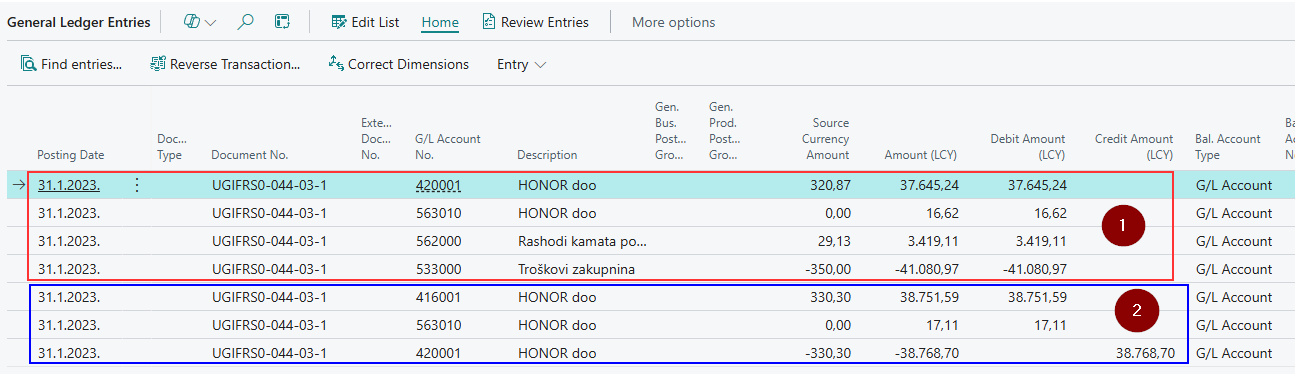
In the General Ledger entries, you can see:
- That one installment has been posted, including the principal amount, lease cost, and interest cost.
- That the liability has been transferred from a long-term installment to a short-term installment.
- That exchange rate differences are included in the posting of the installment.
Need more help?